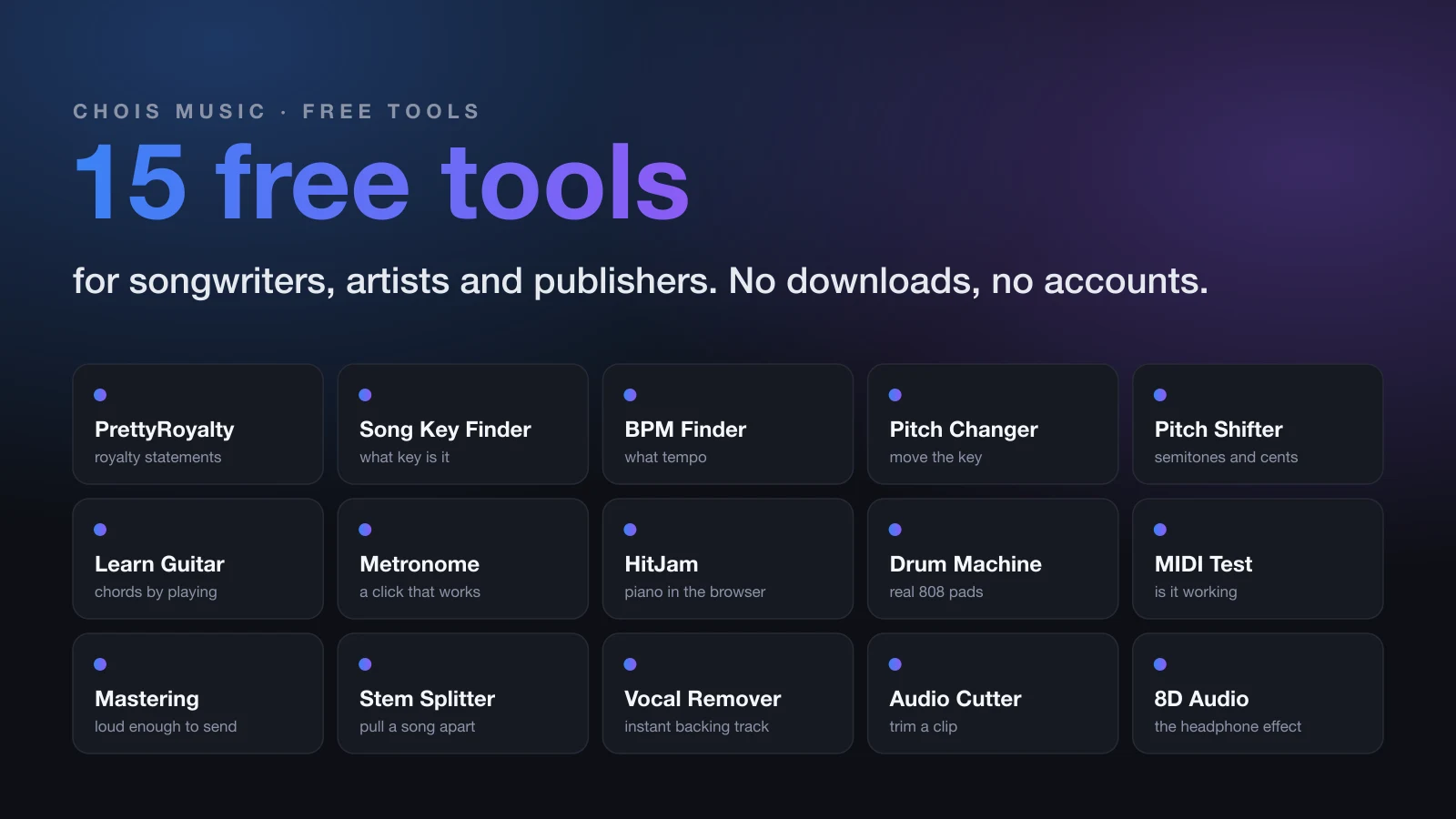
15 Free Music Tools We Built for Songwriters, Artists and Publishers
From reading a royalty statement to mastering a demo at midnight, here are fifteen free browser tools we built for the unglamorous parts of a music career. No downloads, no accounts, no upsell.
Most of the work in music isn't music. It's reading statements, checking a song's key, cutting a clip for a pitch, testing whether the keyboard you just bought talks to your computer, and getting a demo loud enough to send.
Over the past few years we kept running into those jobs for our own clients and kept hitting the same wall: the free tool wanted a signup, the good tool wanted a subscription, and both wanted to upload the audio somewhere. So we built our own. Everything below is free, runs in your browser, and keeps your files on your device. Bookmark the ones you need.
For your royalties
1. PrettyRoyalty: see your royalty statement as a picture
Royalty statements arrive as spreadsheets with thousands of rows and no summary. PrettyRoyalty takes that file and turns it into something you can actually read: which songs earned the most, which shows and platforms paid, and which societies the money came through.
The part we care most about: the file never leaves your computer. Everything is processed in your browser, so your earnings data isn't sitting on someone's server. Drag the file in, and a minute later you know where your money comes from.
Best for: writers and publishers who get statements and never open them.
For writing and learning songs
2. Song Key Finder: what key is this in?
pitchchanger.io/song-key-finder
Drop in any song and it tells you the key. Useful before a co-write, before a cover, and before you spend twenty minutes hunting for the chords by ear.
3. BPM Finder: what tempo is this?
Same idea, for tempo. Drop the song in, get the BPM. Handy for matching a reference track to your session or setting up a click for a singer.
4. Pitch Changer: move a song into your range
Shift the key of any audio file up or down without changing the speed. Session singers use it to move a reference into their range, producers use it to check whether a sample sits in the key of the song. Works on MP3, WAV, FLAC and more, right in the browser.
5. Pitch Shifter: fine-tune by semitones or cents
The precise version. When you need a track nudged a few cents to match an out-of-tune piano, or transposed exactly two semitones for a horn player, this is the one.
6. Learn Guitar: chords for beginners, taught by playing along
A lot of great writers play piano and nothing else. Learn Guitar is the fastest way we've found to fix that. Pick a song, hear it play, and watch the chords, tab and fretboard move along with it. Slow it down when you need to, and change the key to match your voice. The chord library covers every shape a beginner needs, from C major to Cmaj7.
Best for: writers adding a second instrument.
7. Online Metronome: a click that just works
pitchchanger.io/music-tools/metronome
Adjustable tempo, several click sounds, any time signature. Nothing to install and it works on a phone. Every writing room needs one.
For playing and sketching ideas
8. HitJam: a real piano in your browser
A free online piano and set of instruments you can play with your computer keys, a touchscreen, or a real MIDI keyboard. The grand piano is built from recordings of an actual concert grand, not a synthesized approximation, and there are drums, bass, brass, strings and synths alongside it.
It's the tool you reach for when an idea hits and your DAW takes two minutes to open. Plug in a keyboard, hit a key, and play.
9. Drum Machine: real 808 sounds, sixteen pads
A pad sampler loaded with recordings of a real TR-808. Tap out a groove on the pads or your keyboard, hear it instantly. Great for finding a feel before you commit to a session.
10. MIDI Keyboard Test: is my keyboard even working?
hitjam.io/en/midi-keyboard-test/
Every keyboard player has had this moment: nothing happens when you press a key, and you don't know if it's the cable, the driver, the software, or the keyboard itself. This page answers that in ten seconds. Plug in, press a key, and it shows every note, how hard you hit it, the sustain pedal, and the wheels and knobs, live. If nothing shows up, it walks you through the plain fixes.
For finishing and sharing a track
11. Free Online Mastering: make the demo loud enough to send
pitchchanger.io/music-tools/mastering
A demo that's quiet next to everything else on someone's playlist gets skipped. This gives your mix a clean, competitive level and a bit of polish in one pass, right in the browser. Not a replacement for a mastering engineer on a release, but exactly right for demos, pitches and rough cuts.
12. Stem Splitter: pull a song apart
pitchchanger.io/music-tools/stem-splitter
Separate any song into vocals, drums, bass and the rest. Producers use it for remixes and samples, writers use it to hear how a part was built, and singers use it to make a backing track. No signup, and the audio stays on your device.
13. Vocal Remover: an instant backing track
pitchchanger.io/music-tools/vocal-remover
The simplest version of the above: drop in a song, get it back without the vocal. For rehearsals, auditions and cover recordings.
14. Audio Cutter: trim a clip for a pitch
pitchchanger.io/music-tools/audio-cutter
Cut a 30-second hook out of a full track for a sync pitch or a social post. You can rearrange sections and crossfade between them too, so the cut doesn't sound like a cut.
15. 8D Audio Converter: the headphones effect
pitchchanger.io/music-tools/8d-audio
The swirling, moving-around-your-head sound you've heard on YouTube. Upload a track and it comes back in 8D. Mostly for fun, but a surprising number of artists use it for alternate versions and social content.
And one for listening
Bonus: Best Headphones for Music
Not a tool, but the buying guide we send people to. It ranks headphones by how many real owners recommend each pair across Head-Fi, other public forums and YouTube, with prices checked and common complaints listed. If you're about to spend real money on headphones for writing, mixing or listening, read this first.
Why we built these
Chois Music is a music publishing administrator. Most of our day is spent reading statements, chasing registrations and answering the same questions from writers. The tools above started as ways to make our own work easier, and we kept them free because the writers who need them most usually can't pay for another subscription.
If one of them saves you an afternoon, that's the point. And if you're a writer or a small publisher whose royalties feel like a black box, that's the part we do for a living. Say hello anytime.